See what your customer would see when they follow a custom order: its stage, the estimated date, a proof to approve and messages. All the data is invented.
Demo controls
Try it as the business. Changes stay on this page.
The next stage waits for the customer's approval.
Demo with invented data. Nothing here is sent or saved.
ESExample Sign Co.Order tracking
Order ORD-00124
Storefront sign for Sample Bakery
Now
Awaiting approval
Step 4 of 8 · Estimated ready March 21, 2027
Your approval is needed
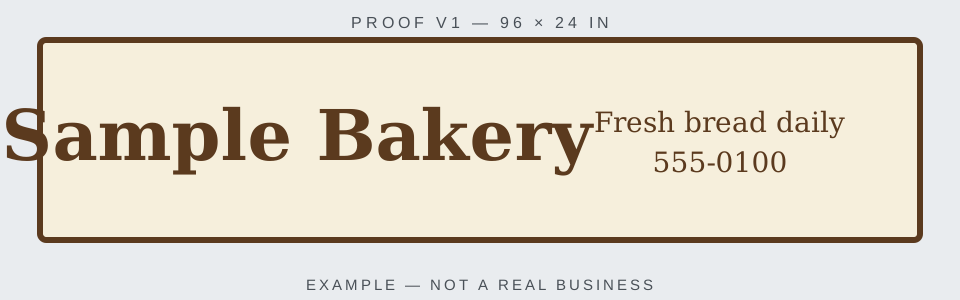
Proof v1 — storefront sign
Here is the first design. Please check the name, the tagline and the phone number.
Proof v1 — example illustration
In the real portal, the customer confirms with a code sent to their email.
Progress
Request confirmedDone · March 1
Site measurementsDone · March 3
DesignDone · March 5
Awaiting approvalCurrent step · since March 8
ProductionNot started
Installation scheduledNot started
InstalledNot started
CompletedNot started
Updates
March 3
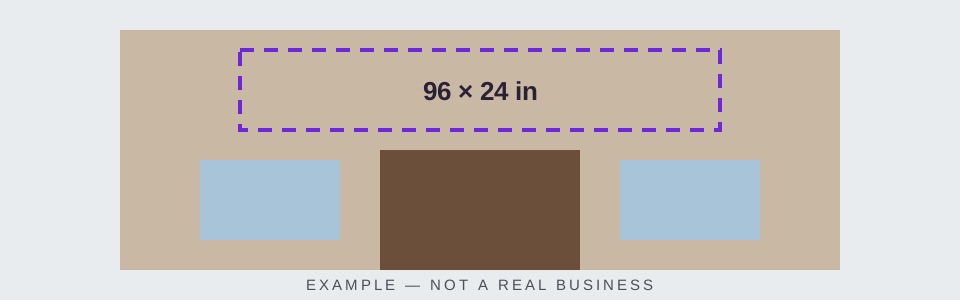
Measurements done: the wall above the door takes a 96 × 24 in panel.
March 1
Order confirmed. We will send the first proof within a week.
Messages
Hi Jordan, the first proof is ready for you to review.Example Sign Co. · March 8
Questions? Contact Example Sign Co. at 555-0100. Tracking page by OrderFlow
What this demo shows
This is the page a customer would open to follow a custom order: which order it is, the current stage and estimated date, a proof waiting for approval, every stage with the ones already done, updates with photos, and a conversation with the shop. Use the dark bar to play the business: move the order forward or back, switch between a sign shop and a print shop, and reset.
How to try it
The demo opens with a proof waiting for the customer's approval. Next stage will not move past it until the customer answers.
Select Request changes, write what to change and send it. The order stays where it is and proof v2 appears.
Select Approve. The order moves to the next stage and the approval history keeps both decisions.
Write a message to the shop, then move the order to the end with Next stage.
What is real and what is not
The businesses, customers, orders, proofs and photos are invented. The images are simple illustrations made for this site.
Nothing is saved or sent. No link is created, no email goes out, and reloading the page starts the demo again.
We are building this portal; it is not available yet. In it, the customer opens a private link without creating an account, and approving a proof or writing a message needs a code sent to their email.
Limits
An approval on a page like this is a record of which version the customer saw and what they decided. It is not an electronic signature.
The demo stops after proof v2. In the real portal the shop would send as many versions as the job needs.
Prices, addresses and the shop's internal notes never appear on the customer's page.
Common questions
Is the order tracking demo a real customer page?
No. It uses invented businesses, customers and orders. Nothing you do in it is saved or sent, and reloading the page starts it again.
How would a customer approve a proof on a tracking page?
The page shows the proof and asks for one of two answers: approve, or request changes with a comment. In the portal we are building, the customer confirms with a code sent to their email, so an approval cannot come from someone who only has the link.
Does the customer need an account to see their order?
Not in the portal we are building: the customer opens a private link. The link shows only that order, and approving or writing a message needs a code sent to the customer's email.